Library Home Page Homage to the Letterform
Please disregard this message if you are using some form of assistive technology or mobile device.
Why Does the web page look like this?
The web page has been redesigned using a Cascading Style Sheet (CSS)based layout. The style sheet did not load because either you are using a non-standards compliant browser or you are accessing this page with a device that does not support css. Please consider upgrading your browser.
Library Home Page Homage to the Letterform

Frequently Asked Questions

How can I find and use e-books in the ACC Libraries

... Find and Use E-Books in ACC Libraries?

There are two ways to find and use ebooks.
If you are on campus:

  • You can go directly to an ebook from the library catalog.
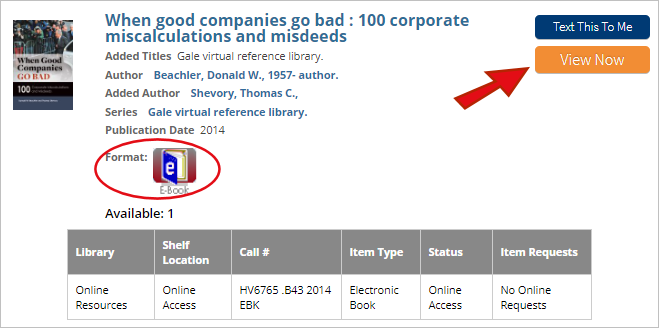
  • E-books are identified in the catalog by an icon which is a blue book with an "e" on the cover.
  • Once you click on the title, you go to a screen which tells you more about the book.
  • At that point you click on the link which is below "Connect to" and says something like "An electronic book accessible through..." or "Connect to this resource online."

If you are off-campus:

  • Find the ebook in the catalog and make note of the author and title.
  • Also, look at the line called "Alt author."
      (There are different kinds of ebooks in the catalog. Most often you will use ebooks from NetLibrary and from Safari Tech books.)
  • Then, go to the link -- either from the library homepage (Online E-Books) or from the first library catalog page.
      You will be asked to enter your ACCeID and password to verify that you are a currently enrolled student.
  • After you are validated, you can click on the appropriate supplier (NetLibrary, Safari Techbooks, etc.) and look for the book by author or title.

If you need additional assistance, please call or visit our Ask a Librarian page.

Hours and phone numbers can be found on our Locations & Hours page.

See related: Books, Books at other libraries

<< Complete List of FAQs

last revision: 8/08/09